TL;DR : For e-sports and responsiveness: Logitech G Pro X TKL (wireless Lightspeed, compact layout). For micron-level activation adjustment: Corsair K70 Max (magnetic switches) and SteelSeries Apex Pro (OmniPoint). For actionable analog input and anti-double input: Razer Huntsman V3 Pro. For excellent all-metal value: HyperX Alloy Origins.
Methodology & Criteria 2025
We selected models available in 2025, recognized by competitive players and specialized press, and available in AZERTY version or international layout. The main criteria:
- Latency & stability (wired 1000–8000 Hz, proprietary 2.4 GHz, Bluetooth as a supplement).
- Activation precision (magnetic/Hall Effect switches, optical/OmniPoint, anti-double press, rapid trigger).
- Gaming ergonomics (TKL/75% format, wheels/media controls, wrist rest, adjustable feet, detachable cable).
- Structural quality (aluminum plate, rigidity, keycaps — PBT/ABS double-shot, stabilizer stability).
- Software & profiles (macros, layers, per-game profiles, anti-ghosting/NKRO).
- Availability & price (versions, switches, stock, after-sales service).
Note: we favor TKL/75% layouts to free up mouse space and optimize ergonomics in FPS/MOBA, while keeping useful media keys.
Our 2025 Selection (Top 5)
Corsair K70 Max Hall Effect 8000 Hz
“Max” version of the K70: adjustable magnetic switches per key (from light touch to click), Rapid Trigger (ultra-short reset), aluminum chassis and polling rate up to 8000 Hz via USB. Ideal for those who want to calibrate their exact activation point in FPS.
Logitech G Pro X TKL (Lightspeed) e-sport 2.4 GHz
Official keyboard of many competitive scenes: Lightspeed 2.4 GHz (low latency), compact TKL, dedicated media keys, wheel, carrying pouch, and readable keycaps. A standard if you alternate LAN and scrims.
Razer Huntsman V3 Pro (TKL/Full) Analog Rapid Trigger
Optical analog adjustable switches (precise activation level, rapid trigger, anti-double press), massive chassis and wheel. Formidable for aggressive tappers and pixel-perfect counter-strafing.
SteelSeries Apex Pro (TKL/Full) OmniPoint 2.4 GHz (Wireless)
OmniPoint (magnetic) switches adjust activation and dual-stage (dual actuation) per key. The Wireless version adds a 2.4 GHz + BT connection. Excellent customization/software compromise.
HyperX Alloy Origins (TKL/Full/65) Best value
Aluminum frame, very consistent HyperX switches (linear/tactile), decent keycaps and simple software. The quality budget choice if you don’t need analog/Rapid Trigger.
Quick comparison (table)
| Model | Format | Switch technology | Key settings | Connection | Strengths | Watch out for |
|---|---|---|---|---|---|---|
| Corsair K70 Max | Full/TKL | Magnetic (Hall Effect) | Per-key actuation, Rapid Trigger, 8K polling | USB (wired) | Extreme precision, aluminum frame | Rich software (learning curve), price |
| Logitech G Pro X TKL | TKL | GX mechanical (linear/tactile) | Macros, profiles, media keys | Lightspeed 2.4G, BT, USB | Very low latency, e-sports ecosystem | No variable actuation |
| Razer Huntsman V3 Pro | TKL/Full | Optical analog | Fine actuation, Rapid Trigger, dual-stage | USB (wired) | Anti-double input, crisp feedback | Price, learning curve |
| SteelSeries Apex Pro | TKL/Full | OmniPoint (magnetic) | Per-key actuation, dual actuation | USB / 2.4G + BT (Wireless) | Customization & Sonar/GG software | Wireless more expensive |
| HyperX Alloy Origins | Full/TKL/65 | HyperX mechanical (Red/Brown) | Simple macros, RGB | USB (wired) | Aluminum case, stability, price | No analog/variable actuation |
Note: availability (layouts, switches, colors) varies by region. Check for a FR AZERTY layout if needed.
Detailed analyses by model
Corsair K70 Max — the activation craftsman
With its magnetic switches (position measurement), the K70 Max lets you adjust actuation per key — ideal for softening strafes (WASD) and stiffening sensitive keys (R/E/F) to avoid accidental presses. The Rapid Trigger allows a reset as soon as the key rises by a fraction of a millimeter: this provides phenomenal responsiveness for micro-adjustments in FPS games. The USB 8000 Hz (8K) ensures minimal end-to-end latency wired. Aluminum frame, media wheels, and advanced management via iCUE complete a performance-oriented package.
For whom? FPS players who want to fine-tune their keyboard down to the micron, without hardware compromises.
Note: the immense tuning power of iCUE requires some time to fully master.
Logitech G Pro X TKL — the wireless e-sports metronome
Designed with and for pros, the Pro X TKL combines Lightspeed 2.4 GHz (very low latency), Bluetooth as backup, and USB as fallback. The TKL format frees up space for the mouse, while keeping dedicated media keys and a wheel. The GX switches (linear/tactile) focus on consistency, with noise-controlled stabilizers. Simple G HUB software, included carrying case, and USB dongle stored inside the frame: you can feel the product is designed for the stage.
For whom? Competitive players, LAN, multi-machine needs (2.4G ↔ fast BT).
Note: no variable actuation at the micron level; this keyboard focuses on reliability and latency.
Razer Huntsman V3 Pro — the sharp analog
The analog optical switches measure the travel and allow a precise activation point, a rapid trigger, and two-stage actions (e.g., walk ↔ run depending on pressure). The keystroke is crisp, the chassis rigid, the stabs well dampened. Synapse allows granular per-key adjustment and game profiles. The anti-chatter (double press) and rapid trigger help those who spam taps for strafe/jiggle.
For whom? Nervous FPS players, aimers who want a fine activation curve, hybrid game/office use with differentiated settings.
Note: the analog has a learning curve; once mastered, it’s formidable.
SteelSeries Apex Pro — the versatile OmniPoint
The OmniPoint (magnetic) switches offer ultra-fine variable actuation and dual actuation (two actions depending on travel), handy for binding jumps/slides. The Wireless version adds 2.4 GHz + Bluetooth with solid battery life; the wired version keeps essentials at a lower cost. The GG/Sonar ecosystem facilitates game profiles and integration with other SteelSeries peripherals.
For whom? Those who want to customize without spending hours tweaking, and enjoy mature software.
Note: choose the edition (TKL/Full, wired/wireless) according to your priority budget ↔ wireless.
HyperX Alloy Origins — the solid and clear base
The aluminum case forges a rigid keyboard that doesn’t resonate, the HyperX Red/Brown switches are consistent and reliable, the stabilizers well lubricated. The RGB is clean, the detachable USB-C cable convenient for transport. NGenuity covers the essentials (macro, colors) without overload.
For whom? Players who want a keyboard with a clean keystroke and a durable chassis without paying the “analog” premium.
Note: no rapid trigger nor analog — but an excellent price/performance ratio.
Switches: Hall Effect, OmniPoint, optical & co (the 2025 point)
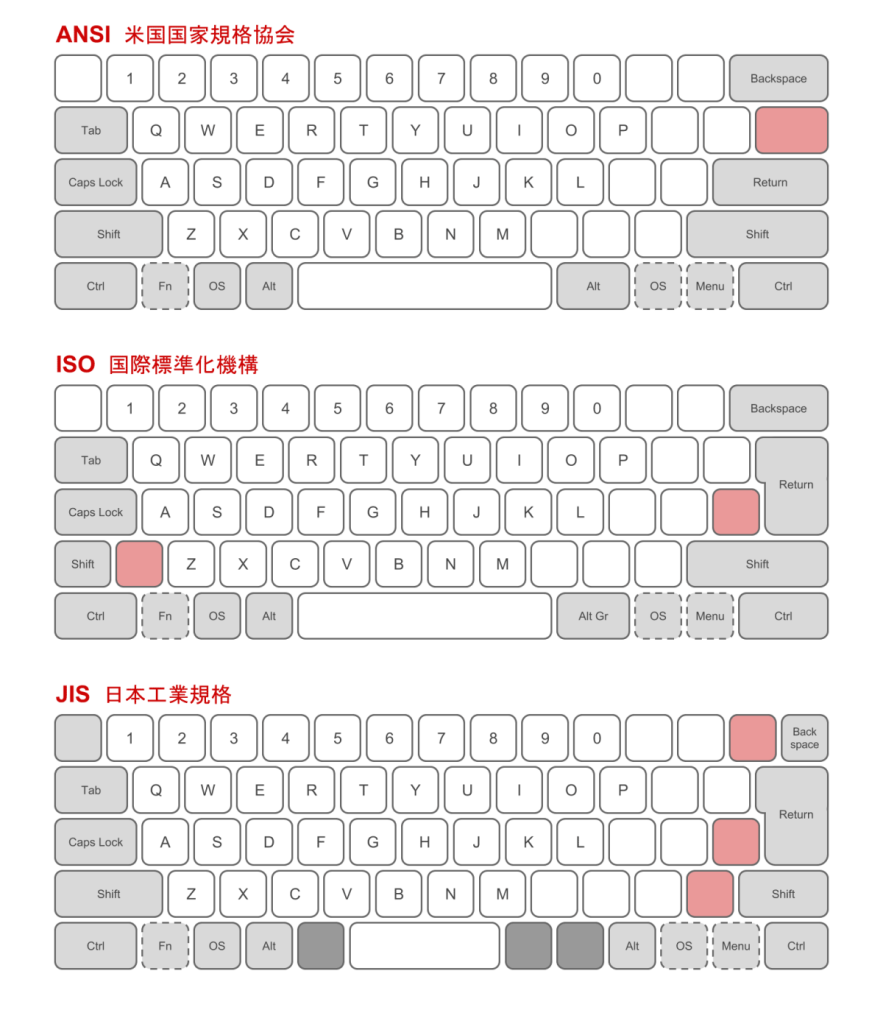
In 2025, the best high-end gaming keyboards abandon “simple” mechanical switches for technologies that measure the key position:
- Hall Effect (magnetic) — a sensor measures the stem distance: variable actuation, rapid trigger, dual actuation. (e.g. Corsair K70 Max, SteelSeries Apex Pro.)
- Optical/Analog — light detects the travel: same promise (adjustable activation, rapid trigger), often with a very low friction feel. (e.g. Razer Huntsman V3 Pro.)
- Classic mechanics — linear/tactile/clicky, always excellent for consistency (e.g. HyperX/Logitech GX), but without travel adjustment.
Practical advice: if you are not sure you need analog, take a good consistent linear (HyperX Red / GX Linear). You can always upgrade later.
How to choose: 10 key points
- Target games: FPS → TKL/75% + low actuation; MMO/MOBA → macro keys, scroll wheel, onboard memory.
- Platform: Windows PC (full software) vs macOS/Linux (prefer onboard profiles).
- Connection: competitive → wired/2.4G; BT for versatility.
- Form factor: TKL/75% = sweet spot; 100% for numpad; 60–65% for minimalism.
- Switch: linear for pure responsiveness; tactile for “framed” typing; analog for fine tuning.
- Polling rate: 1000 Hz is enough; 8000 Hz for margin (requires recent CPU and high-speed USB).
- Keycaps: PBT double-shot = durable legends; ABS = smoother but wears faster.
- Stabilizers: bars (space/enter) without rattle = comfort and controlled noise.
- Chassis quality: aluminum/steel plates limit flex and resonance.
- Software: macros, per-game profiles, per-key settings; favor internal memory if you move around.
Useful internal links: also read our comparison of arcade sticks < €200 and our Meta Quest 3 vs Pico 4 duel if you are upgrading your setup.
FAQ — gaming mechanical keyboards 2025
What is the best keyboard for e-sports (competitive FPS)?
Logitech G Pro X TKL wireless Lightspeed for latency and reliability, or Corsair K70 Max/Razer Huntsman V3 Pro if you use adjustable actuation + rapid trigger.
Hall Effect/OmniPoint/Optical: what difference does it make in-game?
You adjust the activation point (lower = more responsive), the reset (rapid trigger) and sometimes two actions depending on travel. Result: finer micro-adjustments and fewer double presses.
Does 8000 Hz (8K) really bring a gain?
In theory, yes (a more frequent question). In practice, the difference is subtle compared to 1000 Hz. Useful if your PC can keep up and if you are looking for the ultimate margin.
TKL, 75% or 100%: which to choose?
The TKL is the best gaming/office compromise. 75% to save even more space. 100% if you often use the numeric keypad.
AZERTY FR: how to avoid unpleasant surprises?
Check the exact reference with the manufacturer and the retailer. Some “FR” editions arrive later than the US/UK ones. Prefer double-shot legends.
I type a lot: linear or tactile?
Tactile for feedback at the actuation point (fewer errors), linear if you prioritize smoothness in gaming. Analog allows fine adjustment in both cases.
Is wireless OK for competitive gaming?
Yes, with a well-designed proprietary 2.4 GHz dongle (Lightspeed, Quantum, etc.). Avoid Bluetooth in ranked play: convenient but more latent.
Sources & tests (EEAT)
- Corsair — K70 Max (sheet & iCUE): corsair.com
- Logitech G — Pro X TKL (Lightspeed): logitechg.com
- Razer — Huntsman V3 Pro: razer.com
- SteelSeries — Apex Pro: steelseries.com
- HyperX — Alloy Origins: hyperx.com
- RTINGS — gaming keyboards (tests & measurements): rtings.com/keyboard
- Tom’s Hardware — keyboard guides: tomshardware.com
- PC Gamer — gaming keyboards: pcgamer.com
- TechPowerUp — peripheral reviews: techpowerup.com
These sheets evolve (versions, firmwares, layouts). Before purchase, reread the manufacturer’s page to confirm layout, switches, and accessories.
Conclusion
In 2025, three approaches coexist at the top: wireless e-sports (Logitech G Pro X TKL), variable actuation switches (Corsair K70 Max, SteelSeries Apex Pro), and hyper-responsive optical analog (Razer Huntsman V3 Pro). If you want a solid value for money, the HyperX Alloy Origins remains a safe bet. Choose according to your games, your need for fine tuning (rapid trigger, dual actuation), and your preference for wired vs 2.4G. A good mechanical keyboard, well tuned, will follow you for years.









