TL;DR: 8BitDo launches a 16mm thick all-button “leverless”, Bluetooth/2.4G/USB, compatible with Switch & Windows, featuring SOCD, programmable buttons, and Ultimate Software V2.
Carefully designed ergonomics (magnetic feet, tempered glass surface), Kailh Wizard low profile hot-swap, dedicated control panel, battery life up to 20 hours.
At ~$86 retail price, it is one of the best “leverless” entry points for fighting games.
Definition, context & positioning
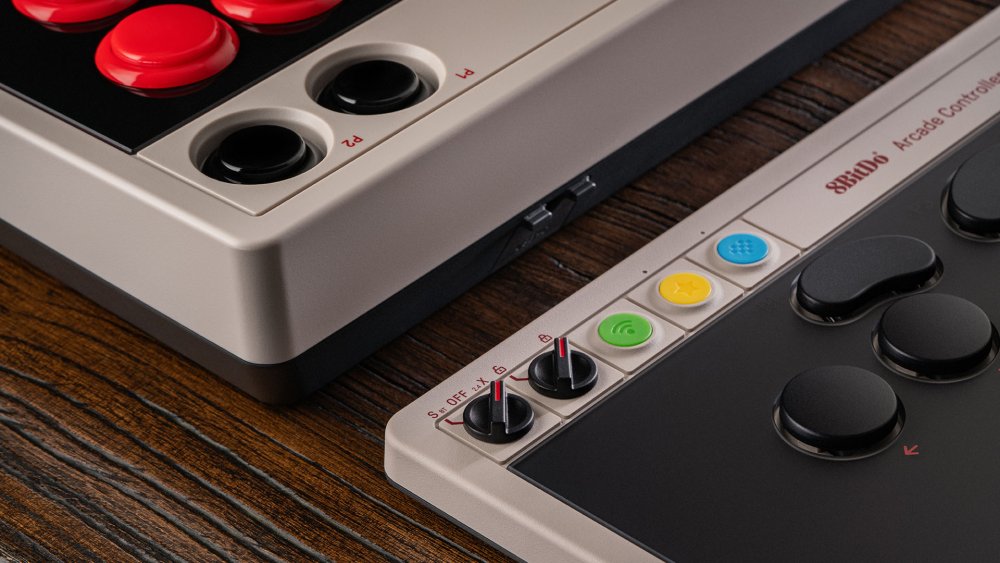
The 8BitDo Arcade Controller is a leverless controller (also called “all-button” or sometimes “hitbox-like”): it replaces the stick with a directional button layout to gain precision and faster execution. This approach is popular in the FGC (fighting game community) scene for dashes, charge moves, dragon inputs, and micro-adjustments in neutral games.
8BitDo targets here a budget e-sport niche: quality materials, real software support (profiling, macros, SOCD), hot-swap Kailh Wizard switches, and triple connectivity — all while remaining well below the price of competing “pro” models.
Complete technical specifications
| Element | Data | Comments |
|---|---|---|
| Compatibility | Windows 10/11 (2.4G/USB), Switch (Bluetooth/USB) | S-Input mode for Switch, X-Input for PC (dynamic layout). |
| Connectivity | Bluetooth (Switch), 2.4G (Windows), USB-C (both) | 2.4G dongle included (dedicated magnetic housing). |
| Design | Leverless (all buttons), anti-fingerprint tempered glass, magnetic metal feet | Two angle options; faceplate resistant to fingerprints. |
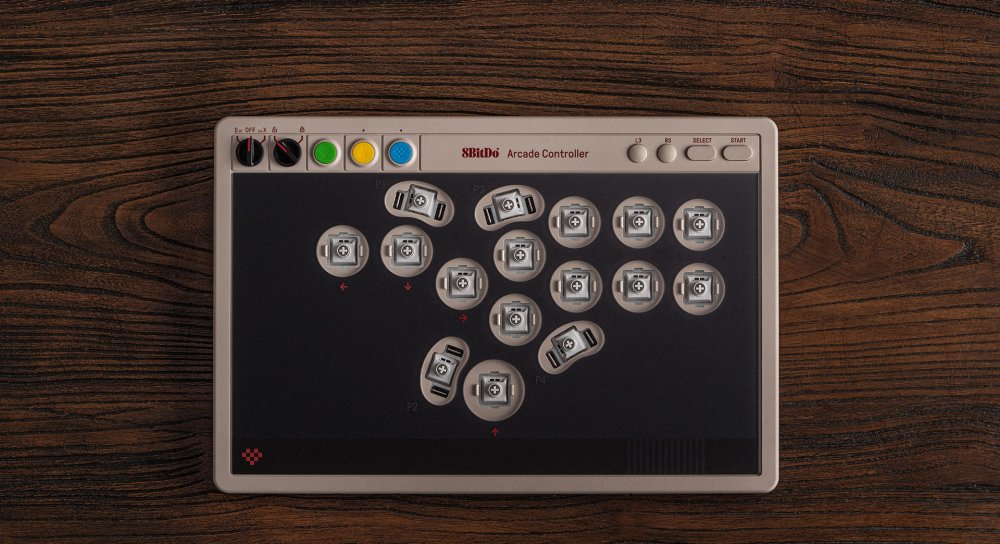
| Switches | Kailh Wizard low-profile (16 pieces), hot-swappable | Short travel, fast activation; easy replacement. |
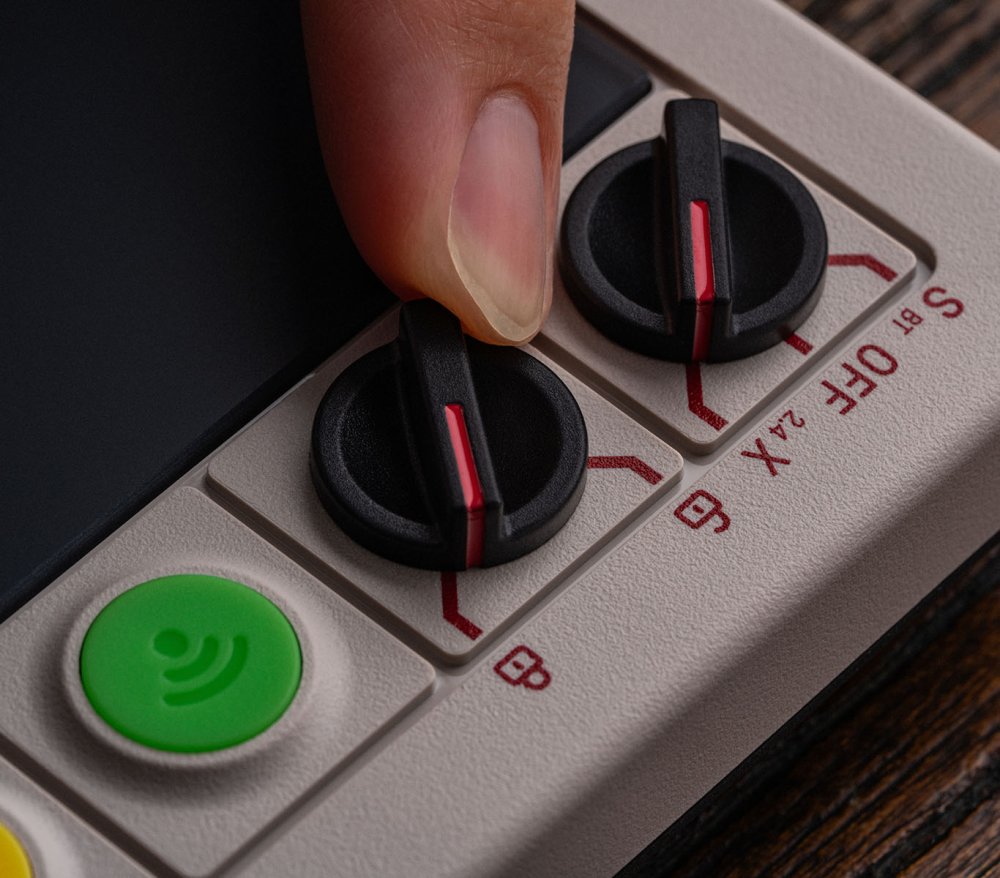
| Programming | 4 remappable P1–P4 buttons + lock caps (anti-press) | Lock caps included to prevent miss-inputs in tournaments. |
| SOCD & tournament | SOCD cleaning (multiple modes), tournament lock | Compliance facilitated according to event rules. |
| Software | Ultimate Software V2 (Windows) | Advanced mapping, macros, profiles, firmware update. |
| Power | 1000 mAh Li-ion — up to 20 hours (BT/2.4G), ~3 h charge | USB-C; wired use possible during charging. |
| Dimensions / weight | 301 × 201 × 22 mm; ~1097 g | Almost A4 size, very flat (easy transport). |
| Indicative price | ~$85.99 (8BitDo store) | Prices vary by region/taxes. |
| In the box | Controller, 2.4G dongle, lock caps ×4, USB-C cable, manual | Ready to play wireless or wired. |
Design & ergonomics: ultra-thin, stable, designed for the FGC
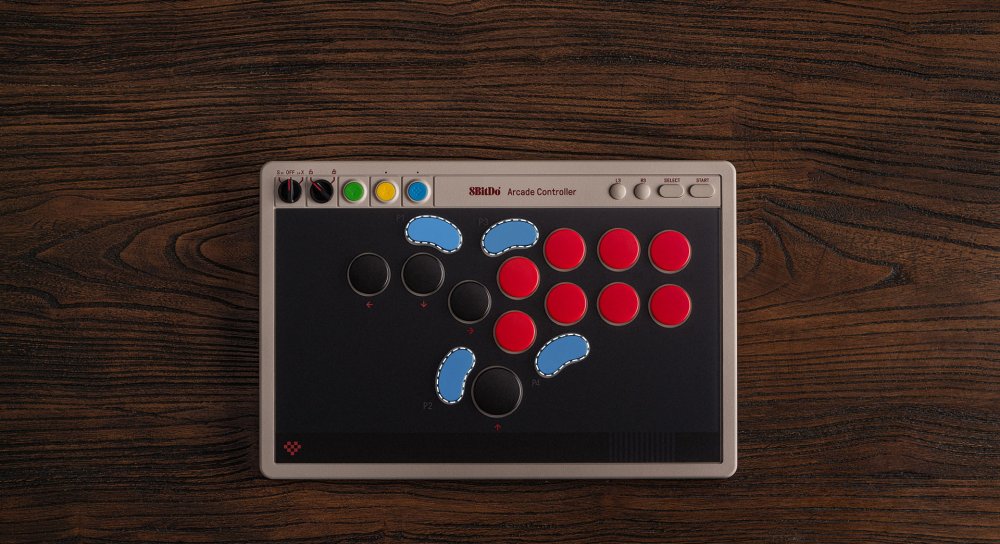
With ~16 mm thickness and a size close to an A4 sheet, the Arcade Controller easily fits into a backpack. The tempered glass face with anti-fingerprint coating fulfills its role well: clean, smooth, and pleasant to the touch. The magnetic metal feet offer two inclinations and good grip, while a textured silicone mat prevents slipping on the table.
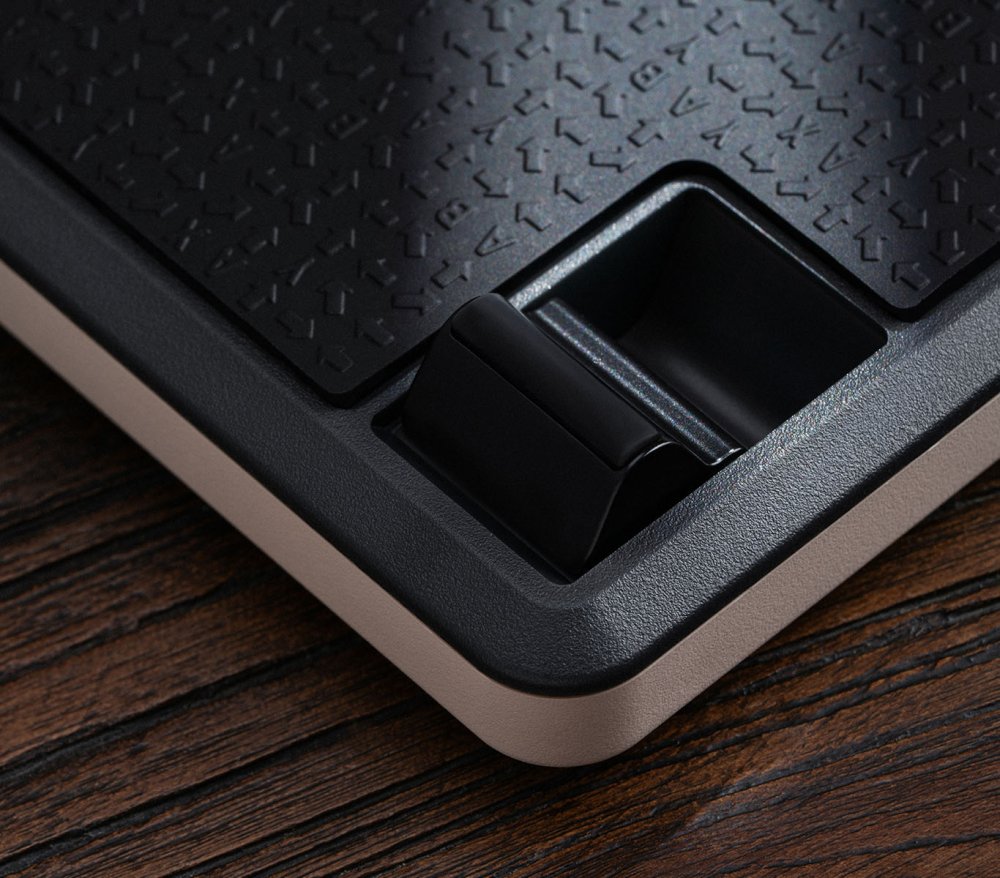
Well thought out: a magnetic compartment stores the 2.4G dongle — no more receivers lost between sessions.
Ultimate Software V2: mapping, macros, SOCD & updates
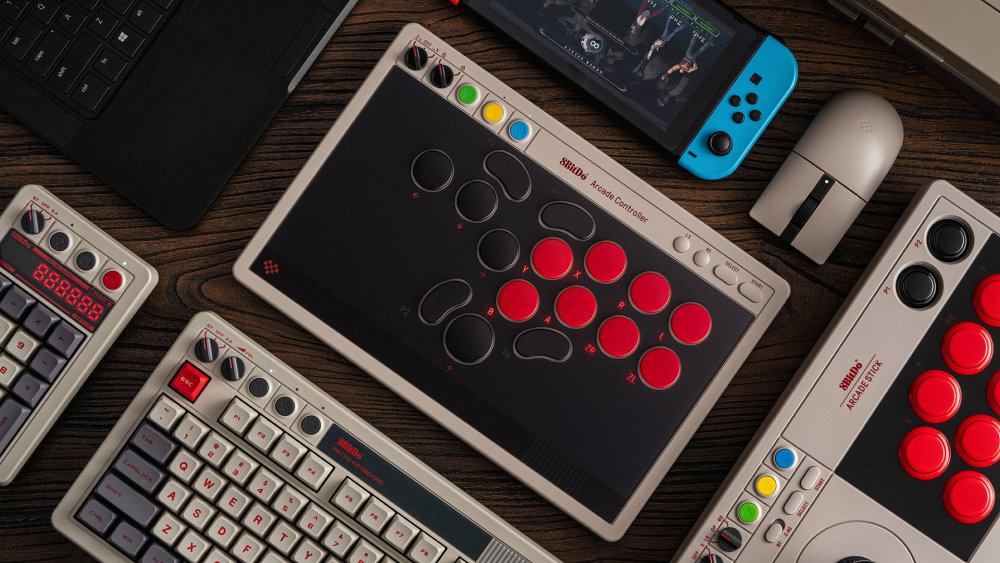
The Ultimate V2 software (Windows) allows you to create profiles by game or tournament: full remapping, macros (timed sequences), SOCD adjustment (neutralizing opposite directions), and one-click firmware updates. Dedicated P1–P4 buttons on the side can host contextual functions (profile, capture, macro, etc.).
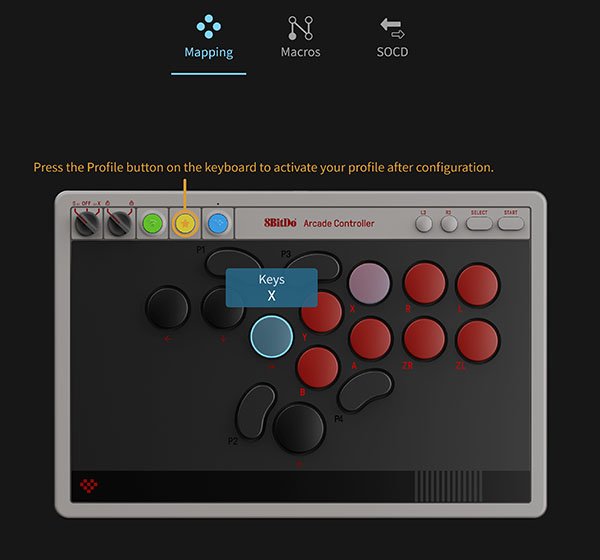
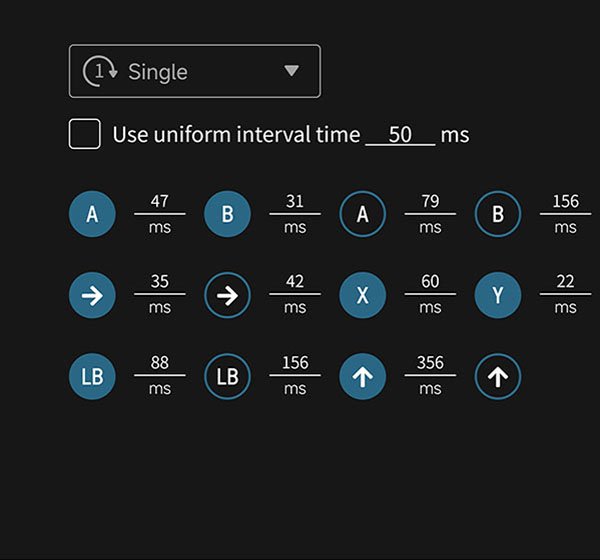
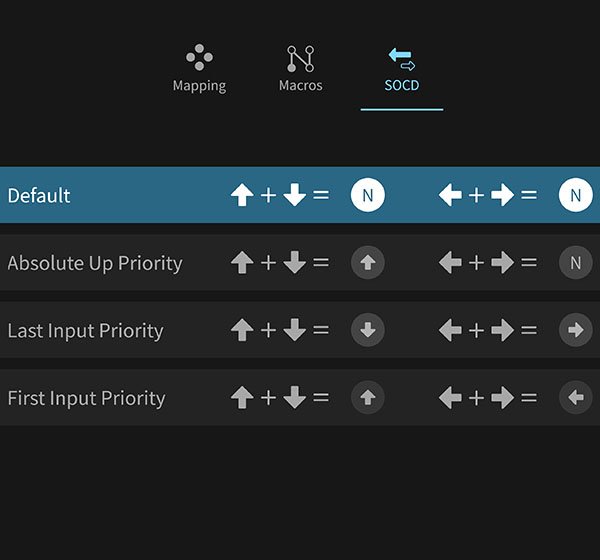
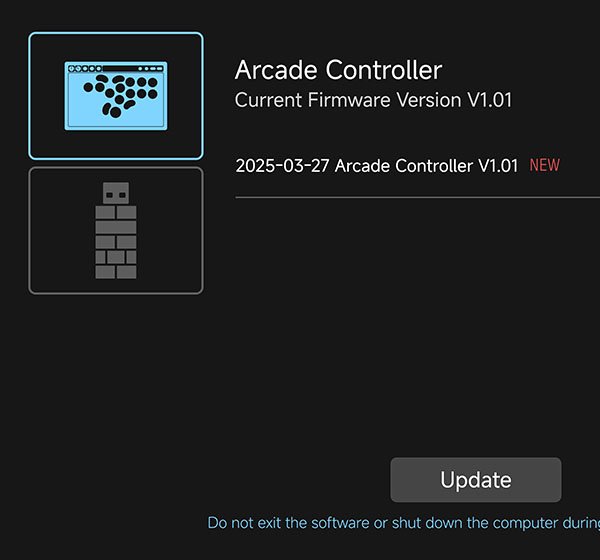
Dynamic layout: when switching modes (S-Input ↔ X-Input), the button labeling visually adapts — fewer mistakes when alternating Switch/PC.
Handling & in-game performance
Learning leverless: precision, consistency, and wrist health
Switching from stick to a button-only layout requires a few hours of adaptation, but the reward is worth it: cleaner executions, better micro-dashes, more reliable diagonals, and reduced fatigue for those prone to wrist pain. The Kailh Wizard low profile, combined with short travel, promotes repeatability and speed.
Fighting & technical inputs
- Charge moves (Guile, Honda…): back→forward transitions more natural than on stick.
- 236/623 and 214: fewer spurious inputs; DP easier to buffer.
- Plink, option selects, kara: reliable thanks to consistent latency on 2.4G/USB.
Wireless vs Wired
For training and casual play, 2.4G (PC) or Bluetooth (Switch) are more than sufficient, with up to ~20 h of battery life. In tournaments or demanding sessions, wired USB-C remains the gold standard: minimal latency and guaranteed power supply.
Advantages & Disadvantages
What we liked
- Ultra-thin (~16 mm) and lightweight for an arcade controller.
- Kailh Wizard low-profile hot-swap: responsive feel, easy maintenance.
- Solid software (Ultimate V2): mapping, macros, SOCD, firmware.
- Triple connectivity (BT/2.4G/USB) + magnetic slot for the dongle.
- Very competitive price for a leverless e-sport oriented controller.
- Tempered glass faceplate with anti-fingerprint coating, magnetic feet.
To consider
- No stick: the learning curve may discourage purists.
- BT limited to Switch (PC uses 2.4G/USB for wireless/wired).
- Comprehensive software but Windows-centric (advanced PC profiling required).
- SOCD rules vary by tournament — make sure to configure properly before playing.
Verdict: for under <100 $, this is a mainstream leverless reference: portable, responsive, customizable, and sturdy. Demanding players and competitors will find an excellent base here.
Comparisons & Alternatives
| Product | Type | Strengths | Points to watch | Indicative Price |
|---|---|---|---|---|
| 8BitDo Arcade Controller | Leverless (Switch/Windows) | Ultra-thin, Kailh Wizard, SOCD, Ultimate V2, BT/2.4G/USB, price | BT not designed for PC; SOCD settings need mastering | ~86 $ |
| 8BitDo Arcade Controller for Xbox | Leverless (Xbox/Windows) | Official Xbox compatibility, slim design, 8BitDo quality | Connectivity/function differences vs standard version | ~99 $ |
| 8BitDo Arcade Stick | Stick (Switch/Windows) | True joystick, easy modding, Ultimate software | Bulkier/thicker; not leverless | ~89–99 $ |
| Razer Kitsune | Leverless (PS5/PC) | Premium quality, ultra-thin, PS5 license | Very high price | ~299 $ |
| Victrix Pro FS-12 | Leverless (PS5/PC) | Aluminum construction, high-end e-sport | Heavy and expensive | ~399 $ |
Adjustment Tips & Tournament Compatibility
Properly Configuring SOCD
Organizers impose different rules (e.g. Up+Down=Up, Left+Right=Neutral, Last/First Input Priority). In Ultimate V2, select the mode recommended by your event and lock it before plugging in the controller. Consider the tournament lock to avoid accidental presses on P1–P4.
Profiles by Game
- Anime fighters: simple macros (dash, RC) according to rules.
- Street-style: mapping of drive/parry super accessible on thumb.
- Platform fighters (Switch): distinct profiles per character, tap jump on/off.
Maintenance & Soft Modding
The hot-swap allows testing other compatible low-profile switches (firmer/softer feel). Clean the glass faceplate with a microfiber cloth; avoid solvents.
FAQ — 8BitDo Arcade Controller
What is the 8BitDo Arcade Controller?
It is an ultra-thin leverless controller (all buttons) for Windows and Switch, designed for precision and speed in fighting games. It offers SOCD, programmable buttons, and advanced configuration software.
What is the difference between leverless and a classic arcade stick?
The leverless replaces the stick with directional buttons (up/down/left/right). Advantages: faster inputs, reliable diagonals, consistent executions; disadvantage: a learning curve if you come from a stick.
Is wireless latency problematic?
On 2.4G/BT, it is low and suitable for training and casual play. For tournaments or to minimize any variability, prefer wired USB-C.
Can all buttons be reprogrammed?
Yes, via Ultimate Software V2 (Windows). You can create profiles, macros, and choose a SOCD mode compliant with your event’s rules.
What is the battery life and how is it charged?
The 1000 mAh battery offers up to ~20 hours (BT/2.4G). USB-C charging takes about 3 hours, and the device can be used wired while charging.
Is there an Xbox version?
Yes, a 8BitDo Arcade Controller for Xbox is offered separately for Xbox Series/One and Windows, with differences in connectivity/functions.
Is the controller allowed in tournaments?
Most FGC events allow leverless under SOCD conditions. Always check the rules and select the required SOCD mode in the software.









