Public USB Charger: The Real Risk of Data Theft and the Right Habits to Charge Without Stress
A phone at 6% battery, a free terminal at a station, a USB cable lying on an airport table… and the question quickly arises: is plugging your smartphone into a public USB charger really risky? The short answer: yes, the risk exists, but it is not an automatic trap at every outlet. The infamous juice jacking exploits the dual nature of USB, capable of carrying both electricity and data. That’s why the topic deserves more than just an anxiety-inducing “never touch it” warning.
In practice, the public USB charger risk mainly becomes problematic when the equipment is unknown, modified, damaged, or provided by a third party. Recent smartphones already block some attack scenarios, but these protections do not replace good habits. The issue is therefore not to panic, but to know when to plug in, when to avoid, and how to charge without unnecessarily exposing your photos, messages, files, or sensitive apps.
In brief
🔌 Juice jacking is based on a simple idea: some USB ports can transmit both power and data. A compromised terminal could therefore try to access the phone during charging.
🛡️ The real risk remains contextual: large-scale documented cases are rare, but the FBI did warn in 2023 about public USB terminals in airports, hotels, and shopping centers.
✅ The right habits are simple: use your own wall charger, an external battery, a charge-only cable, or a USB data blocker.
⚠️ The main warning sign: if your phone asks you to “trust” the connected device, never accept on an unknown public terminal.
Does the risk really exist with a public USB charger?
The risk of data theft via a public USB charger exists in theory, but it strongly depends on the equipment, the phone, and the context. In most cases, the right reflex is to favor your own wall outlet, a charge-only cable, or a data blocker, especially in busy places.
Yes, the risk exists. But no, not every public USB terminal is a data-sucking machine. Juice jacking refers to an attack that hijacks the USB function to exploit the simultaneous transfer of electricity and data. It is precisely this dual use that creates the gray area: the same cable can charge a device, sync photos, transfer files, or establish communication with a computer.
The topic comes up regularly because it concerns a very common situation: charging your phone in public. We do it in stations, airports, hotels, trade shows, cafes, or shopping centers. In these places, the user is often in a hurry, tired, focused on their journey or appointment. In other words, the perfect context to too quickly accept a notification or plug in a cable found on site.
In France, the ANSSI reminds in its good digital nomad practices the importance of controlling your connections and equipment while on the move. The same logic applies on the side of Cybermalveillance.gouv.fr and its digital security recommendations: the less you plug your device into an unknown environment, the more you reduce the attack surface. Jokes aside, it’s less spectacular than a hacker movie, but much more useful in daily life.
The real danger is not just the USB port: it’s the moment when you plug in without looking, without reading the screen, and without knowing what you are connecting to.
How could an attack via USB work?
A USB attack exploits the fact that a port can carry power and open a data channel. If a terminal is compromised, it can attempt to communicate with the phone, copy certain information, or push malicious software. Modern protections limit this risk, but do not always eliminate it.
To understand the USB risk, it is necessary to distinguish two things: electrical power and the communication channel. When you plug your smartphone into a power outlet via your usual adapter, you are mainly requesting power. When you plug it into a USB port, especially on a computer or a terminal, the phone can also detect a device capable of exchanging data.

The principle of data transfer
The USB protocol was designed to facilitate exchanges: keyboard, hard drive, camera, smartphone, printer… everything can communicate fairly quickly with everything else. The icing on the cake is that this simplicity is also what makes the USB data theft scenario credible. A modified terminal can incorporate a hidden malicious device, capable of presenting itself as a computer or an authorized accessory.
In the most aggressive scenarios, a cybercriminal could try to copy photos, contacts, messages or files, install spyware, steal passwords, access sensitive applications, or encrypt data to demand a ransom. It is important to say this clearly: these are possible risks in a compromised terminal scenario, not the automatic consequence of any public charging.
What modern protections prevent, and what they do not block
Recent smartphones, both iOS and Android, generally display a prompt when a device tries to access data: “Trust this computer?”, “Allow file transfer?”, “USB controlled by…”. As long as the user refuses, locks their device, or chooses the charge only mode, data transfer is supposed to be limited.
But here is the little trap: these protections depend on the model, system version, cable, type of terminal, and user behavior. A hurried person may accept without reading. An old phone may be less well protected. An unknown cable may contain unexpected electronics. In other words, smartphone security works better when the user stays in control.
| Situation | Risk level | Recommended reflex |
|---|---|---|
| Power outlet with your charger | Low | Preferred solution |
| Public USB port without provided cable | Moderate | Use a charge-only cable or data blocker |
| Unknown cable left on site | High | Do not use it |
| Damaged or unsupervised terminal | High | Avoid and look for another option |
Why is the danger often overestimated?
The danger is often overestimated because a technically possible scenario is sometimes presented as an omnipresent threat. Juice jacking requires a compromised terminal, prepared equipment, and often favorable interaction. This does not make the risk zero, but it places it behind much more frequent threats like phishing, weak passwords, or fraudulent applications.
In practice, the public phone charger is not the primary hacking vector observed daily. Phishing attacks, fake delivery SMS, infected attachments, or apps downloaded outside official stores remain much more common. This is precisely why it is important to maintain a balanced position: not to turn every public USB port into a disaster, but not to act as if the issue is made up.
The difference between theoretical scenario and common use
The theoretical scenario is simple to tell: a station is rigged, you plug in your phone, malware installs, your data leaves. In common use, it is more nuanced. The phone may remain locked, request authorization, limit transfer, or refuse communication. The hacker must also have access to the station, modify the hardware, and hope that the user will plug in their device under conditions favorable for the attack.
A cybersecurity expert cited by Orange also recalled that juice jacking remains complex to implement and that large-scale known cases are few. This point is important: the risk is serious in its mechanism, but it should not overshadow the entire threat hierarchy. In other words, keep your vigilance, not your anxiety.
Cases where caution should increase
Caution should definitely increase as soon as something escapes you: cable provided by a third party, damaged station, port in an isolated corner, charging station without identifiable brand, very busy lounge, hotel where many travelers come and go. The more shared the equipment is, the less you know what it has undergone before your use.
It is observed in the field that the most exposed travelers are not necessarily the most “technophiles,” but those who plug in urgently: almost empty battery, ticket to scan, call to make, hotel reservation to find. In that moment, a connection prompt may be accepted mechanically, just to save a few minutes.
- Avoid cables already plugged in on a station or a café table: you do not know what they contain.
- Beware of damaged ports, poorly fixed or added in a makeshift way.
- Do not accept any trust request on a screen if you do not know the connected device.
- Unplug immediately if the phone switches to file transfer mode or displays an unusual prompt.
Where should you be most vigilant with a charging station?
The most sensitive places are those where many people pass quickly: airports, train stations, hotels, lounges, shopping centers, and waiting areas. The risk is not related to the building itself, but to the mix of shared equipment, low individual surveillance, and urgent battery need. The more impersonal the environment, the more you should keep your own accessories.
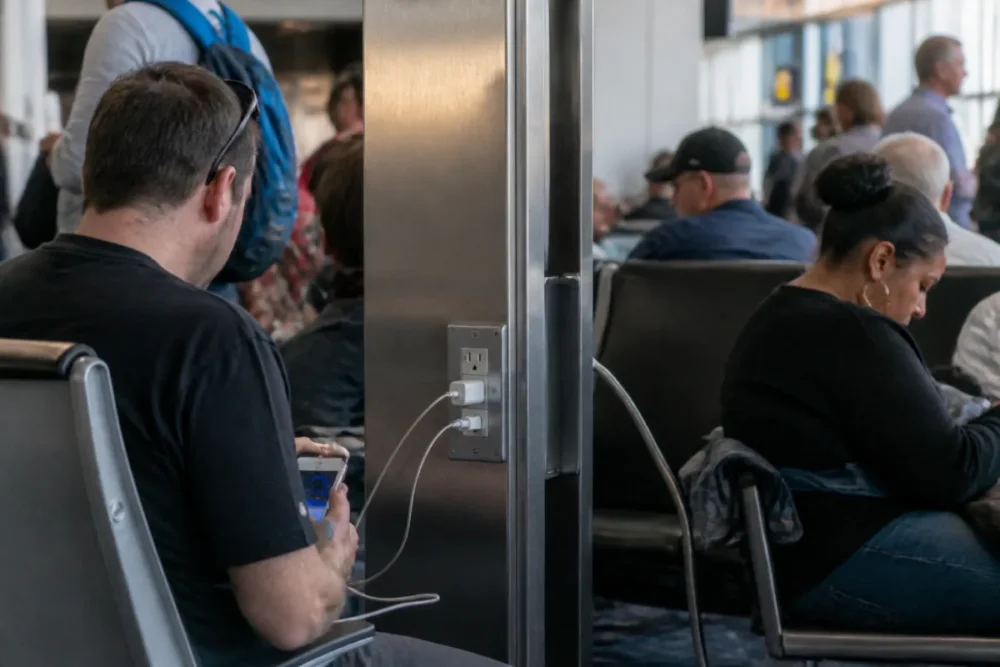
Airports, train stations, hotels, lounges, and unknown stations
In 2023, the FBI explicitly cited airports, hotels, and shopping centers in its alert on public USB charging stations. This is no coincidence: these places concentrate people on the move, sometimes with travel documents, banking apps, professional messaging, and cloud access on the same device. Cherry on top, many need battery to present a QR code, call a rideshare, or check an itinerary.
In a professional lounge or hotel lobby, the temptation is even stronger: power strips, USB ports integrated into armchairs, cables available for self-service. For ordinary personal use, the risk remains moderate if the phone is recent and locked. For a professional carrying client data, company accesses, or a laptop, the rule should be stricter: never use a public USB port without hardware protection.
Cables or adapters left in open access
The cable left available deserves a special mention. A public USB port may be monitored or maintained by an operator, but a cable lying around is much harder to qualify. Some cables may be designed to carry data, and modified accessories can include components invisible to the naked eye. Good to know: the fact that a cable “looks normal” does not prove that it is neutral.
Like a USB key found in a parking lot, an unknown cable should not become a trusted accessory. The comparison is deliberate: in both cases, the problem is not the object itself, but the impossibility of knowing what it really does once connected.
An unknown cable is not a free service: it is an uncontrolled device that you connect to your digital life.
How to recharge without exposing your data?
To recharge without exposing your data, the most robust method is to clearly separate electricity from data: wall outlet with your charger, external battery, charge-only cable, or data blocker. Add to that a locked phone, regular updates, and systematically refusing unsolicited trust requests.
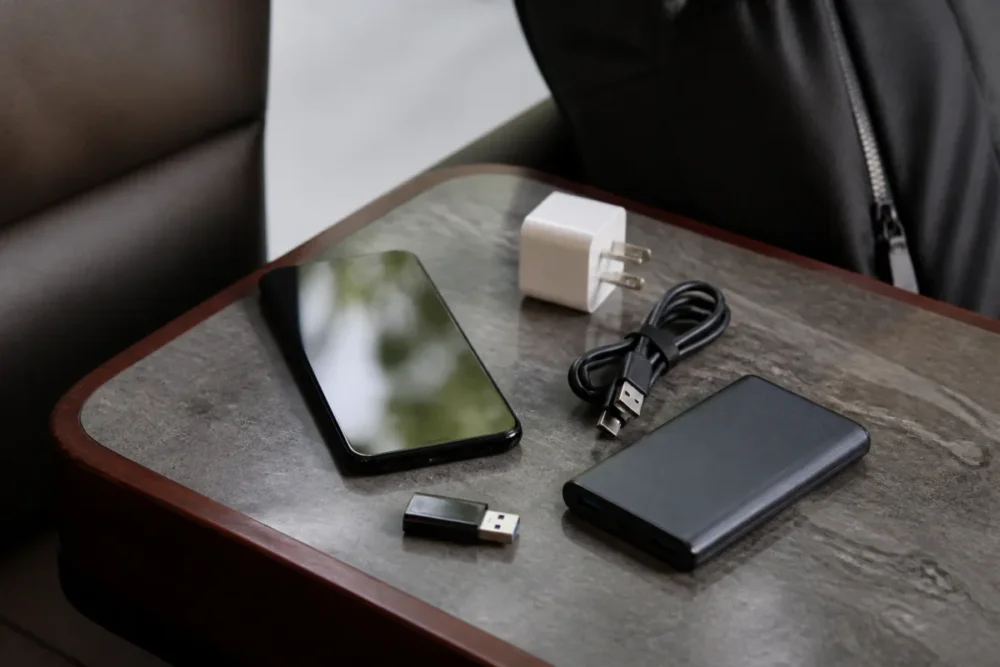
Favor the wall outlet with your own equipment
The simplest reflex is also the strongest: use a standard electrical outlet with your own power adapter. In this case, you avoid direct communication with a public USB port and greatly reduce the risk of unwanted transfer. It’s less “convenient” than plugging a cable into the front of a terminal, but it’s cleaner from a security point of view.
An external battery plays the same buffering role. It charges at home, in a known environment, then powers your phone on the go. For regular travelers, it is often the best compromise between comfort and caution. No need for a huge model: the idea is mainly not to depend on an unknown port at a critical moment.
Use a charge-only cable or a data-blocking adapter
A charge-only cable is designed to pass electricity without carrying data. A USB data blocker, sometimes called a “USB condom,” is placed between the public port and your cable. Its role is simple: to prevent the data pins from communicating, while allowing electrical charging. This is a rather clever solution for trains, airport halls, coworking spaces, or lounges.
There are also dedicated products, such as certain data blockers marketed to prevent USB transfer while allowing charging. The interest is not the brand itself, but the principle: creating a physical barrier. Unlike a software option, this barrier does not depend on an inadvertent validation on the screen.
- For a short trip: external battery or power-saving mode before reaching 5%.
- For a long trip: wall charger, personal cable, and international adapter if necessary.
- For a mandatory USB terminal: charge-only cable or data blocker.
- For a professional phone: avoid public ports, unless there is a clear internal policy and validated accessory.
Lock the phone and monitor connection prompts
Locking the phone limits interactions, but it should not become an excuse to plug in everywhere. If a window asks you to allow file transfer, to trust the device, or to activate a USB communication mode, refuse. If the screen lights up with an unusual notification, unplug. It’s a simple gesture, but often forgotten.
Airplane mode can also reduce some connections during charging, even if it does not turn an unknown port into a safe port. System updates, meanwhile, remain essential: they fix vulnerabilities that could be exploited in more advanced attack scenarios. In other words, good security is not a single gadget, but a small consistent routine.
- Before plugging in, check the physical condition of the terminal and the cable.
- Prefer your own cable and charger as soon as possible.
- Refuse any request for transfer, trust, or synchronization.
- Unplug if the phone’s behavior seems unusual to you.
- After any doubt, change your sensitive passwords from another trusted device.
Public USB charger: security myth or real underlying issue?
The public USB charger is neither a total myth nor a daily priority threat. It reveals our dependence on mobile devices: we carry our conversations, photos, payment methods, professional accesses, and digital identity documents in a device that we sometimes plug in without thinking. That is why the subject matters.
The ENISA threat landscape overview regularly reminds us that digital risks evolve with usage, connected objects, and mobility behaviors. Juice jacking perfectly illustrates this trend: a convenient feature becomes a potential gateway as soon as it combines connectivity, implicit trust, and massive use.
The right decision framework boils down to three questions. Is it my equipment? Is it a simple electrical outlet or a communicating USB port? Do I have anything sensitive on this device? If you answer “no,” “public USB,” and “yes,” caution should prevail. Provided you keep this logic in mind, you can recharge without stress, without falling into paranoia.
Conclusion
The verdict is nuanced: the risk of data theft on a public USB charger exists, but it becomes especially serious when you use unknown equipment without protection or attention. To summarize, prioritize your wall charger, keep an external battery or a data blocker in your bag, and never accept a trust request on a public terminal. Three habits, no more, and already much fewer troubles.
Key takeaways
- 🔐 Juice jacking exploits the dual electrical and data function of USB.
- ✈️ Transit locations increase the risk of error or careless plugging in.
- 🔌 The wall outlet with your charger remains the safest option.
- 🧱 A USB data blocker cuts the data channel during charging.
- 👀 A “trust” request on a public terminal must be refused.
FAQ
Are public USB chargers safe?
They can be, especially when well maintained and used with a recent locked phone. But since you do not always control the terminal, cable, or installation, it is better to use your own wall charger, an external battery, or a data blocker.
How can I tell if a public charger is dangerous?
You cannot always tell by looking. However, a damaged terminal, a cable left in open access, a poorly fixed port, or a data transfer prompt are real warning signs. When in doubt, do not plug in.
Is a recent iPhone or Android smartphone protected?
Recent models generally display an authorization request before opening data access. This protection is useful, but it depends on the system, settings, and your reaction. If you approve by mistake, the barrier partly falls.
What should I do if I plugged my phone into a suspicious terminal?
Unplug immediately, refuse any displayed authorization, restart the phone, and check recently installed apps. As a precaution, change important passwords from another trusted device, especially for messaging, cloud, and banking.
Is a charge-only cable enough against juice jacking?
Yes, if it is truly designed without data transfer, it greatly reduces the risk related to the public USB port. A practical alternative is to use a data-blocking adapter, which physically blocks the data channel while allowing power to pass through.









