.synthesis { max-width: 640px; margin: 2em auto; padding: 1.5em 1.8em; color: #05243e; font-family: “Inter”, “Segoe UI”, sans-serif; text-align: left; position: relative; box-sizing: border-box; background: #dfebf5; border: 1px solid #1069b5; border-left: 6px solid #1069b5; border-radius: 12px; box-shadow: 0 8px 24px rgba(251, 191, 36, 0.15); }
.synthesis h2, .synthesis .synthesis-header { font-size: 1.15em; font-weight: 700; margin-bottom: 0.6em; background: linear-gradient(90deg, #1069b5, #101cb5); -webkit-background-clip: text; background-clip: text; color: transparent; }
.synthesis p, .synthesis li { font-size: 1em; line-height: 1.65; margin: 10px; }
.synthesis strong { color: #031524; }
.synthesis::before { content: “\201C”; position: absolute; top: 0.05em; left: 0.25em; font-size: 3.2em; line-height: 1; color: rgba(16, 105, 181, 0.22); font-family: Georgia, serif; pointer-events: none; }
.synthesis { padding-left: 2.2em; }
.synthesis > p:first-of-type::first-letter { font-size: 2.4em; float: left; line-height: 0.9; margin: 0.05em 0.12em 0 0; color: #1069b5; font-weight: 700; }
.synthesis table { width: 100%; border-collapse: collapse; }
.synthesis th { background: rgba(16, 105, 181, 0.12); color: #0c528d; text-align: left; }
.synthesis td, .synthesis th { padding: 8px 12px; border-bottom: 1px solid rgba(16, 105, 181, 0.18); vertical-align: top; }
.synthesis tbody tr:nth-child(even) { background: rgba(16, 105, 181, 0.05); }
.magic-lb-overlay{position:fixed;inset:0;background:rgba(15,23,42,.92);display:none;align-items:center;justify-content:center;z-index:99999;cursor:zoom-out;padding:20px}
.magic-lb-overlay.open{display:flex}
.magic-lb-overlay img{max-width:95vw;max-height:95vh;object-fit:contain;border-radius:8px;box-shadow:0 8px 32px rgba(0,0,0,.5)}
.magic-lb-close{position:absolute;top:16px;right:20px;color:#fff;background:rgba(0,0,0,.5);border:none;width:40px;height:40px;border-radius:50%;font-size:24px;cursor:pointer;display:flex;align-items:center;justify-content:center}
.magic-lb-close:hover{background:rgba(0,0,0,.8)}
.wp-block-image img{cursor:zoom-in;transition:transform .15s ease}
.wp-block-image img:hover{transform:scale(1.01)}
.magic-img-link{display:inline-block;text-decoration:none}
(function(){
var ov=document.getElementById(‘magic-lb’);if(!ov)return;
var img=ov.querySelector(‘img’),btn=ov.querySelector(‘.magic-lb-close’);
function open(src){img.src=src;ov.classList.add(‘open’);document.body.style.overflow=’hidden’}
function close(){ov.classList.remove(‘open’);img.src=”;document.body.style.overflow=”}
document.addEventListener(‘click’,function(e){
var a=e.target.closest(‘a.magic-img-link’);
if(a){e.preventDefault();open(a.getAttribute(‘href’));return}
var i=e.target.closest(‘.wp-block-image img’);
if(i&&!e.target.closest(‘a’)){e.preventDefault();open(i.currentSrc||i.src)}
});
ov.addEventListener(‘click’,function(e){if(e.target===ov||e.target===btn)close()});
document.addEventListener(‘keydown’,function(e){if(e.key===’Escape’)close()});
})();
How to search for an address, place, or postal code on Mappy
| 📍 Search | Mappy allows you to find an address, a street, a town, a postal code, or a point of interest directly from its search bar. |
| 🔎 Accuracy | The more complete the input, the more reliable the result: number, street name, city, and postal code limit ambiguities. |
| 🗺️ Map | The Mappy map helps visually verify the location before preparing a route or an appointment. |
| 📮 Postal code | A search by postal code displays a geographic area, useful when the full address is not yet known. |
| 📱 Mobile | The Mappy app facilitates searching on the go, especially with geolocation and traffic information. |
| ⚠️ Verification | You should always check the town, number, and place sheet to avoid homonyms and destination errors. |
The Mappy address search is used to quickly locate an address, place, street, or postal code on a map, without necessarily knowing all the details at the start. It’s typically the kind of tool you open five minutes before leaving… and that can prevent ending up in the wrong town, at the wrong number, or in front of the wrong establishment.
Jokes aside, an address search seems simple, but it depends on several elements: the quality of the input, the suggestions offered, the accuracy of the map, the presence of a referenced establishment, or the use on computer or mobile. Here is how to properly use Mappy, check the displayed results, and avoid the most common pitfalls.
What is the purpose of address search on Mappy?
The address search on Mappy is used to locate a postal address, a town, a postal code, a street, or a point of interest on a map. It also allows you to open a local map, consult a place sheet, and then prepare a route by car, on foot, by bike, or by public transport depending on the available options.
Overall, Mappy works as a mapping service oriented towards practical use: find a place, see where it is located, then decide how to get there. You can search for a complete address like “10 rue de la Paix Paris,” but also a public place, a business, a train station, a parking lot, a neighborhood, or simply a city.
This approach is particularly useful when the address is not perfectly known. For example, if you search for “Lyon 3rd district town hall” or “Nantes train station,” Mappy can suggest an identified place rather than a raw address. It’s also practical to spot an area before calculating a trip with a complete Mappy itinerary guide, especially if the appointment is in an area you don’t know.
It should be noted that French addresses rely on public databases and local references. To verify an official address or understand how addresses are structured, the National Address Database on adresse.data.gouv.fr remains an interesting public reference, even if daily use often goes through mapping services like Mappy, Google Maps, or ViaMichelin.
- Precise address: number, street, town, postal code.
- Known place: train station, town hall, museum, shopping center, hospital.
- Geographic area: postal code, town, neighborhood, or sector.
- Local service: pharmacy, gas station, restaurant, parking.
How to start a Mappy address search?
To start a Mappy address search, enter an address, a place name, a city, or a postal code in the search bar, then choose the most precise suggestion. Then check the municipality, number, postal code, and position on the map before using the result for a route.
The most reliable method is to start with the main search bar. You type what you know: a complete address, a street name, a city, a postal code, or an establishment. Mappy then displays automatic suggestions that allow you to choose the right result faster, without necessarily typing the entire query to the end.
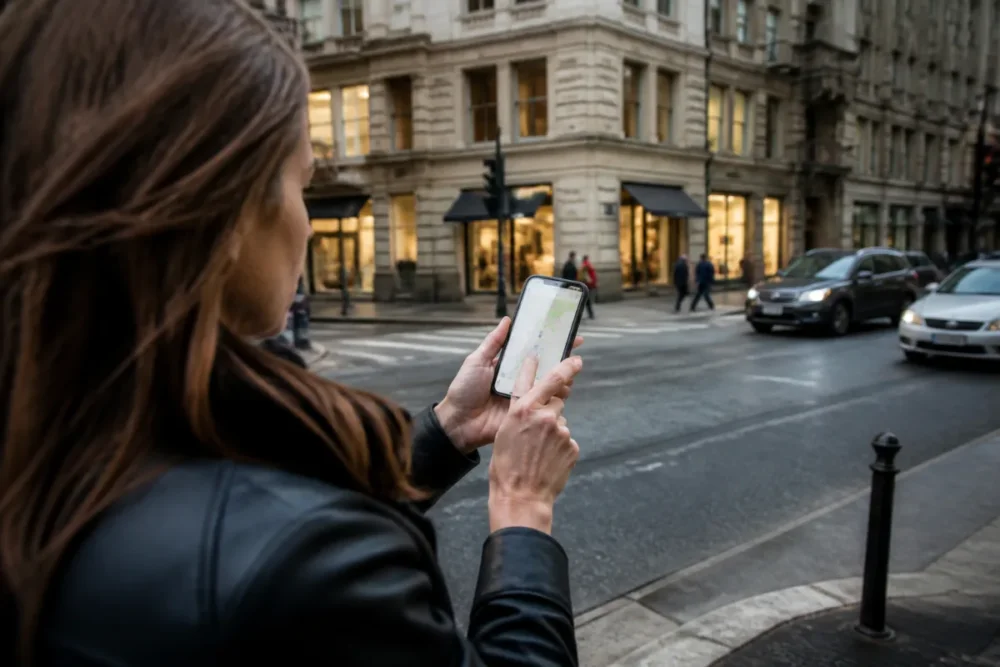
In practice, it is observed in the field that errors rarely come from an isolated “wrong click.” They rather come from too vague an entry: a street name without a city, a homonymous municipality, an establishment present in several districts, or a postal code corresponding to several nearby localities. In other words, the more context you provide, the more Mappy can bring you to the right place.
Searching for a precise address
When you know the complete address, ideally indicate the number, street name, municipality, and postal code. For example: “15 avenue Jean Jaurès 69007 Lyon” will be more usable than “avenue Jean Jaurès Lyon,” because this street can cover a long axis or exist in several cities.
Accents, hyphens, and abbreviations can sometimes influence suggestions. If you do not immediately find the result, try a simplified version: “General Leclerc” instead of “Général-Leclerc,” or just the street name with the city. It’s not very glamorous, but it’s often more effective than manually typing three variants that are too long.
Searching for a place or point of interest
For a public place or an establishment, type its name then add the city if necessary. “Musée d’Orsay Paris,” “CHU Pellegrin Bordeaux,” or “Centre commercial Part-Dieu Lyon” generally give more relevant results than a name alone. This geographic addition helps differentiate similar places and avoid homonyms.
A place sheet can then display the address, position on the map, and sometimes practical information. It is still advisable to verify the result with the context: neighborhood, street name, main access, or exact building. In large sites like a campus, a hospital, or a commercial area, the indicated entrance can count as much as the postal address.
Searching with a postal code
Entering a postal code in Mappy mainly allows displaying an area. This is useful when you have an incomplete address, a vague real estate listing, an appointment in a little-known municipality, or a street name missing from your notes. You can then refine with the municipality, then with the street.
Be careful though: in France, the same postal code can cover several municipalities, especially in rural areas. Conversely, some large cities have several postal codes per district or sector. For Paris, Marseille, or Lyon, the postal code can thus help target a specific district; for smaller municipalities, it can instead cover a wider perimeter.
Starting from a city or a local map
If you only have a general idea of the area, start from the map of a city. Searching “Angers,” “Strasbourg Krutenau,” or “Rennes centre” allows you to position yourself on the map, then zoom progressively until identifying a street, a neighborhood, an activity zone, or a public facility.
This method is practical when preparing an appointment without knowing the exact address. It also allows spotting access points, neighboring streets, parking lots, and nearby transport before moving on to route calculation. Cherry on the cake: it reduces the risk of confusion if the searched name exists in several places.
How to read and verify the displayed results?
To verify a Mappy result, check the full address, the municipality, the postal code, and the marker on the map. Compare the suggestions if multiple places appear, then open the corresponding file. If the position seems inconsistent, restart the search with a shorter or more precise query.
A Mappy address search does not stop at the first displayed result. It’s tempting, yes, especially when you’re in a hurry. But a quick check avoids common mistakes: wrong municipality, street with the same name, closed establishment, or place file that corresponds to another site of the same network.
To correctly read the results, first observe the hierarchy: some results are exact addresses, others are places, neighborhoods, municipalities, or points of interest. The same query can therefore produce several legitimate proposals, but not necessarily equivalent.
Understanding the different proposals
If you type a very common street name, Mappy may display several cities. “Rue de la Gare,” “Avenue de la République,” or “Rue Victor Hugo” exist in many French municipalities. In this case, the city or postal code becomes essential to choose the correct result.
Conversely, if you are searching for a well-known place, the file for that place may appear before the exact address. This is not necessarily a problem: for a train station, a museum, or a shopping center, the place file can be more useful than the postal address, especially to locate the main entrance or nearby access points.
Read the place file before confirming
The place file allows you to verify if the name, address, position on the map, and practical information correspond to your need. When hours, access, or phone numbers are available, they can help confirm that you are indeed at the right establishment.
A regular user observes that confusions often occur with establishments having multiple sites in the same city: clinic, university, bank branch, or administrative service. In practice, comparing the neighborhood and the street avoids starting a route to the wrong branch.
For administrative procedures, it is even more sensitive. A prefecture, a municipal annex, or a local office may have several receptions, with different hours and entrances. If your search concerns an official service, it may be useful to cross-check the address with a public source, for example a page on Service-Public.fr dedicated to online procedures.
Choosing the right result
The right result is generally the one that combines the most coherent clues: exact name, full address, expected municipality, logical postal code, and plausible map marker. If any of these elements seems strange, go back to the search instead of confirming too quickly.
Good to know: if you then prepare a complex route, with several stops or time constraints, you can move from a simple address to a more structured itinerary. In this case, a tutorial for creating a Mappy itinerary can help you organize the steps in the right order.
Tips to refine and save an address on Mappy
To refine a search on Mappy, simplify the input, add the municipality or postal code, compare suggestions, and use the map zoom. To find an address already searched, use recent searches, favorites, or a saved starting point when these options are available on your device.
When a search does not give the right result, it is not necessarily necessary to add more words. Sometimes, it is even the opposite: a query that is too long or misspelled can confuse the suggestions. In other words, it is better to have a short but structured input than a full sentence copied and pasted from a message.
- Start with the most reliable element: city, postal code, or exact name of the place.
- Add the street if the displayed area is too large.
- Add the number only when the street and municipality are well recognized.
- Compare the suggestions before selecting a result.
- Check the map by zooming in on the neighborhood, especially if the address is new to you.
Correcting an imprecise entry
If Mappy does not find the address, try a simpler variant. Remove additions like “building B,” “residence,” “door,” “at,” “locality,” or “parking entrance” at first. Once the street is found, you can use the map to locate the correct access.
Localities and rural areas sometimes require more patience. An address like “Le Moulin,” “La Croix Blanche,” or “Les Grandes Terres” may exist in several municipalities or appear in a slightly different form. Adding the department, neighboring municipality, or a known landmark can then unlock the search.
Handling ambiguous cases
Ambiguous cases are common in cities with similar names: Saint-Denis in Seine-Saint-Denis, Saint-Denis in La Réunion, or the many municipalities starting with “Saint-.” The same applies to streets with very common names. That is why Mappy’s address search gains reliability with a postal code or department.
For official addresses, municipalities also have obligations related to addressing. The reference page on collectivites-locales.gouv.fr about addressing explains the role of municipalities in naming streets and numbering. It’s a technical detail, but it explains why some recent addresses may take time to appear everywhere.
Find an address already searched faster
On mobile or browser, depending on your configuration, you can find recent searches or save useful places. This is appreciated for recurring addresses: home, work, school, medical office, favorite parking, or regular client.
In daily use, this memorization saves time and reduces input errors. Provided, of course, that you regularly check that the saved address still corresponds to the correct place. A company that moves, a modified access, or a closed parking lot can turn a favorite address into a bad habit.
Mappy on mobile: searching for an address on the go
On mobile, Mappy allows you to search for an address around you, launch geolocation, consult a map, and prepare a route from your current position. This is the most practical use to find a nearby store, reach an appointment, or check a destination while traveling.
The mobile app becomes really useful when you are not in front of a computer, or when your starting point changes. By activating geolocation, Mappy can start from your current position instead of asking you for a starting address. It’s simple, but on the move, it changes everything.
However, geolocation remains sensitive data. The CNIL reminds the principles related to geolocation, notably the importance of consent and setting permissions on smartphones. In short: activate it when it serves you, deactivate it if you don’t need it.
Search for an address with GPS
With GPS, you can search for a destination and then request a route from your position. Before leaving, check that the blue dot or detected location corresponds well to your actual position. In dense downtown areas, underground parking, or near large buildings, the location can sometimes be approximate.
To follow a step-by-step route from a smartphone, the most comfortable remains to prepare the destination, verify the address, then start navigation. If you often use the app, this guide on Mappy mobile application complements well the search part with uses on the move.
Consult a place around you
Proximity search is very practical to find a pharmacy, gas station, restaurant, or parking lot. In this case, don’t just look at the first result: compare the distance, access, indicated hours, and the coherence of the position on the map.
To summarize, the best result is not always the closest as the crow flies. An address located 600 meters away may take 15 minutes on foot if it is on the other side of a train station, a river, or a difficult-to-cross road. The map is precisely used to spot these obstacles before leaving.
Mappy or Google Maps, ViaMichelin: what are the differences for searching an address?
Mappy is well suited for searching addresses, local maps, and places in France. Google Maps stands out for its international coverage and very broad ecosystem. ViaMichelin is often appreciated for preparing road routes. The right choice therefore depends on the context: precise address, route, mobility, or comparison.
It is true that many users alternate between several services. This is not digital betrayal, it is just common sense. When an address seems misplaced or a business has recently moved, comparing two maps can avoid an error.
| Service | Strengths | To prioritize for |
|---|---|---|
| Mappy | City maps, address search, places and routes in France | Locating a French address or preparing a simple trip |
| Google Maps | Worldwide coverage, reviews, photos, widely used navigation | Comparing places, traveling abroad, checking a business |
| ViaMichelin | Route calculation, estimated costs, route options | Preparing a car trip over medium or long distance |
When to prioritize Mappy
Mappy is relevant if you are looking for an address in France, a city map, a local point of interest, or a destination before starting a route. Its use remains straightforward: you enter, verify, consult the map, then prepare the trip if needed.
For a classic Mappy address search — home, business, street, town hall, station, postal code — the service is sufficient in many cases. It is particularly comfortable when you want to stay within a map logic without being overwhelmed by too many additional features.
When to compare with other services
Comparing becomes useful if you are looking for an address outside France, a recently opened place, an establishment with multiple sites, or a destination whose location seems inconsistent. In these situations, Google Maps or ViaMichelin can serve as cross-checks.
If your main need is to choose between several route tools, a comparison Mappy vs Google Maps allows you to go beyond simple address search, notably on navigation, traffic data, and mobile usage.
What common mistakes to avoid when searching an address on Mappy?
Common mistakes on Mappy mostly come from too vague an entry, a homonym, a place listing confused with an address, a misinterpreted postal code, or too quick validation. To avoid them, you must cross-check the suggestion, the full address, the map, and the local context.
Here are the most realistic traps, those you really encounter when preparing an appointment, a delivery, or a trip in an unknown city.
- Clicking on the first result without reading the municipality: a street can exist in several towns. Add the postal code or department to clear up doubts.
- Confusing an establishment with its administrative headquarters: some places have multiple addresses. Check the listing, the main entrance, and the neighborhood.
- Using only a postal code: useful to frame an area, but insufficient for a precise destination. Then add the town and street.
- Copying an address that is too long: unnecessary details can disrupt the search. Start with street + city, then refine.
- Trusting an imprecise GPS position: when mobile, always check the detected starting point before launching the route.
It is observed in the field that the most costly errors often happen during professional appointments: business area, delivery entrance, secondary building, or poorly identified parking. A 30-second check on the map sometimes avoids 10 to 20 minutes of detour.
Cherry on top: if you send the address to someone, share a complete address rather than just a place name. Also indicate a concrete landmark if access is particular, for example “entrance on boulevard side,” “visitor parking,” or “building B.” These are small details, but on site, they make all the difference.
Examples of useful searches on Mappy
The most useful examples on Mappy are everyday searches: a complete address for an appointment, a postal code to locate an area, a public place to prepare a visit, or a local business to save time. Each case requires a different level of precision.
For a home or a business, use a complete address: number, street, city. For a public place, the name of the place and the city are often sufficient. For a larger area, the postal code or municipality serves as an entry point before refining on the map.
| Need | Example input | Recommended approach |
|---|---|---|
| Find a complete address | 12 rue Nationale Lille | Check number, street, and municipality |
| Locate a public place | Gare de Rennes | Check access points around the building |
| Explore an area | 44000 Nantes | Refine with neighborhood or street |
| Differentiating two places | Pharmacie République Lyon | Compare the listings and opening hours |
For a city like Nantes, a postal code such as 44000 can be useful to open the map, but it is not enough to locate a precise address. In Lyon, specifying the district with 69002, 69003, or 69007 can already guide the search to the correct area. In Paris, the same logic applies: a district postal code greatly limits confusion.
In short, the best method is to start broad when you lack information, then narrow down progressively. City, neighborhood, street, number: it is often in this order that the search becomes most reliable. And when the address is strategic — medical appointment, interview, delivery, train — it’s better to double-check.









