| Key Points | Details to Remember |
|---|---|
| 🔍 Definition of the error | Error code indicating that a script has interrupted your session. |
| ⚙️ Main causes | Security scripts, network issues, account restrictions. |
| 🛠️ Immediate solutions | Check the connection, adjust settings, reinstall Roblox. |
| 📰 Long-term prevention | Regularly update and monitor permissions. |
| 👍 Support and assistance | Contact support or the game developers. |
| ⏱️ Waiting time | Patience required during troubleshooting operations. |
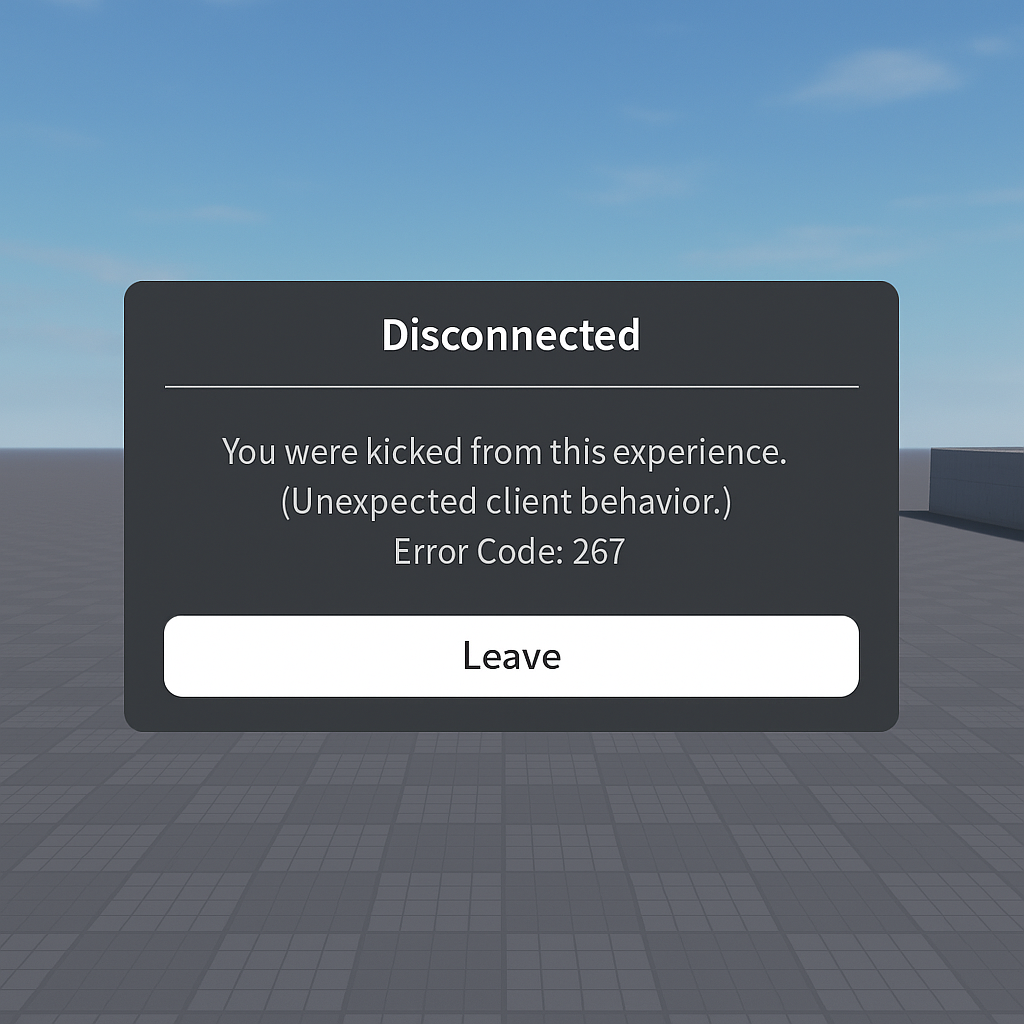
You are trying to join your favorite world on Roblox and, without warning, an “Error 267” message blocks your access to the game. Frustrating! This interruption can occur for various reasons — an overzealous security script, a network issue, or an overly restrictive account setting. Rather than letting this outage ruin your session, let’s explore together how to understand the origin of this error and regain control of your game.
What is error 267?
In the context of Roblox, error 267 appears when the server refuses your connection after detecting an anomaly in the client or suspicious behavior. Specifically, a script embedded in the game or servers interrupts your session, often without a more explicit message. This protection could be compared to an automatic door that closes as soon as it detects an unexpected object. Here, the “object” could be a third-party script, an overly strict firewall, or simply an account setting. The result remains the same: you are no longer allowed into the game.
Main causes of error 267
Security kick scripts
Developers of Roblox games sometimes use scripts to automatically “kick” any player whose client does not meet expectations (outdated versions, manual modifications). These scripts are designed to prevent cheating, but they can also be overly sensitive and block a legitimate player.
Network restrictions
If your connection passes through a VPN, proxy, or if a parental firewall is enabled, Roblox may interpret this traffic as suspicious. Like an overzealous anti-spam filter, the network tool will cut the session as soon as it deems the communication doubtful. To check, you can temporarily disable your VPN or test on another network (4G, a friend’s Wi-Fi, etc.). If the error disappears, you will have identified the source of the block.
Account settings and age
Accounts must comply with certain age and privacy rules. A parent can restrict access to games deemed inappropriate via parental controls. In this case, error 267 appears as soon as the connection attempt is made, without a direct link to your network connection.
How to unblock access to the game?
Let’s now discuss concrete solutions, ranked from the simplest to the most comprehensive. The idea is not to multiply manipulations, but to methodically address each lead.
1. Check the internet connection
- Restart your router: a classic often overlooked.
- Switch to 4G or another Wi-Fi network to test.
- Avoid VPNs and proxies during your Roblox session.
In many cases, these few steps are enough to eliminate an unexpected network block.
2. Adjust Roblox security settings
In the Settings menu → Security, temporarily disable options that limit access (parental controls, data anonymization). These settings may vary depending on the platform (PC, mobile, Xbox).
“For smoother use, grant Roblox the network and storage permissions it needs.”
Once the error is resolved, you can readjust these rules with full knowledge of the facts.
3. Refresh or reinstall the client
A corrupted file or an incomplete update can trigger error 267. Visit the official site and download the latest version of Roblox. If “Repair” is offered, run it before any full reinstallation.
4.
Contact support or the game developers
- Submit a request to the official support via the Roblox help center.
- On the game page, look for a link to the creator’s profile or associated forums.
- Explain your issue by specifying the exact nature of error 267.
Creators sometimes have tools to review and adjust the security scripts that concern you.
Tips to prevent error 267 in the future
- Keep your client and drivers up to date.
- Avoid unofficial third-party scripts.
- Monitor changes to your network configuration (VPN, firewall).
- Always test access on an alternative network before looking for a software problem.
- Note the exact context of the error (time, game name, configuration) to facilitate diagnosis.
FAQ
What is error 267 on Roblox?
It is a code indicating that a security script interrupted your session or that a network/account restriction is preventing access.
How to know if it is a network problem?
Change connection (4G, public Wi-Fi) or disable VPN/proxy: if the error disappears, you have identified the source.
What to do if the error persists after reinstalling?
Check the security settings in Roblox, disable parental controls, and contact the game developer.
Can I prevent error 267?
Yes: keep your client updated, avoid unofficial scripts, and regularly check your network configuration.
Can Roblox support resolve error 267 alone?
Support can guide you, but if the block comes from a game-specific script, only the creator can adjust the code.









