:root{
–ink:#0f172a; –muted:#475569; –line:#e5e7eb; –soft:#f8fafc; –brand:#0ea5e9;
–ok:#166534; –warn:#b91c1c; –amber:#b45309
}
*{box-sizing:border-box}
body{font-family:system-ui,-apple-system,Segoe UI,Roboto,Ubuntu,”Helvetica Neue”,Arial,sans-serif;color:var(–ink);background:#fff;line-height:1.75;margin:0}
main{max-width:1120px;margin:0 auto;padding:28px}
h1,h2,h3{line-height:1.25}
h1{font-size:2.25rem;margin:0 0 10px}
h2{margin-top:32px}
p.lede strong{font-weight:700}
nav.toc{background:var(–soft);border:1px solid var(–line);border-radius:12px;padding:16px 18px;margin:24px 0}
nav.toc a{color:#0f62fe;text-decoration:none}
figure{margin:22px 0}
figure img{width:100%;height:auto;border:1px solid var(–line);border-radius:12px}
figcaption{font-size:.92rem;color:var(–muted);margin-top:6px}
table{width:100%;border-collapse:collapse;margin:18px 0}
th,td{border:1px solid var(–line);padding:10px;vertical-align:top;text-align:left}
thead th{background:#f8fafc}
tbody tr:nth-child(even){background:#fafafa}
blockquote,aside.tip{background:#f7fbff;border-left:4px solid var(–brand);padding:12px 16px;margin:20px 0;border-radius:8px}
.alt{background:#fff8eb;border-left:4px solid var(–amber)}
.bad{background:#fff5f5;border-left:4px solid var(–warn)}
.grid{display:grid;grid-template-columns:repeat(auto-fit,minmax(260px,1fr));gap:18px}
.pill{display:inline-block;background:#eef2ff;color:#3730a3;padding:2px 8px;border-radius:999px;font-size:.8rem;margin-right:6px}
.small{font-size:.95rem;color:#596780}
.kicker{font-size:.9rem;color:#64748b}
.cta{background:#0f766e;color:#fff;text-decoration:none;padding:10px 14px;border-radius:8px;display:inline-block;margin-top:8px}
The Best CMS in 2025
TL;DR: there is no “one” best CMS, but “the right one” depending on your project. WordPress remains the most versatile (content/SEO), headless CMS (Strapi, Contentful, Sanity, Directus, Prismic) excel in omnichannel and performance, and Shopify/PrestaShop dominate e-commerce. Below: selection criteria, top by use case, quick profiles, comparison table, and trends (composable, AI, Core Web Vitals).
Definition & CMS Families
A CMS (Content Management System) is software that allows you to create, edit, organize, and publish content (pages, articles, media, products…) without coding everything by hand. In 2025, three main families are distinguished:
1) Open-source “monolithic” CMS
Rendering (front) and editing (back) are in the same tool, with themes and plugins. Examples: WordPress, Drupal, Joomla, TYPO3. Strengths: fast time-to-content, huge ecosystems, low entry costs. Ideal for editorial sites, corporate, blogs, showcases, and even e-commerce (WooCommerce).
2) Headless / API-first CMS
Content is managed on the back side (API), but the front is free (Next.js, Nuxt, SvelteKit, mobile app, IoT, in-store…). Examples: Strapi, Contentful, Sanity, Directus, Prismic, Ghost (headless option). Strengths: performance, omnichannel, robust design system. Requires more engineering.
3) SaaS CMS / site-builders
Hosted solution with visual design and integrated CMS: Webflow, Squarespace, Wix. Record time-to-market, managed maintenance, limits on export/portability and backend customization.
Method & Selection Criteria
Rather than an “absolute ranking,” here is the grid I use in audits:
- Target audience & volume: expected traffic, number of pages, multi-language, multi-sites.
- Content model: templates, blocks, relations, fields, localization.
- Team & skills: writers, integrators, front/back devs, ops.
- SEO & Core Web Vitals: control of HTML, schemas, linking, performance, cache.
- Integrations: CRM, PIM/DAM, analytics, newsletter, SSO, CDP, payment.
- Security & governance: roles, validation flows, audit, compliance (GDPR, DSA), SLA.
- Costs: licenses/subscriptions, hosting/CDN, dev & maintenance, training, migrations.
- Portability: export, vendor lock-in, reversibility.
Advice: write a one-page “must-have / nice-to-have,” prioritize, then prototype 1–2 critical user flows in 2 finalist CMS.
Top CMS 2025 by Need
► Best “generalist/SEO”
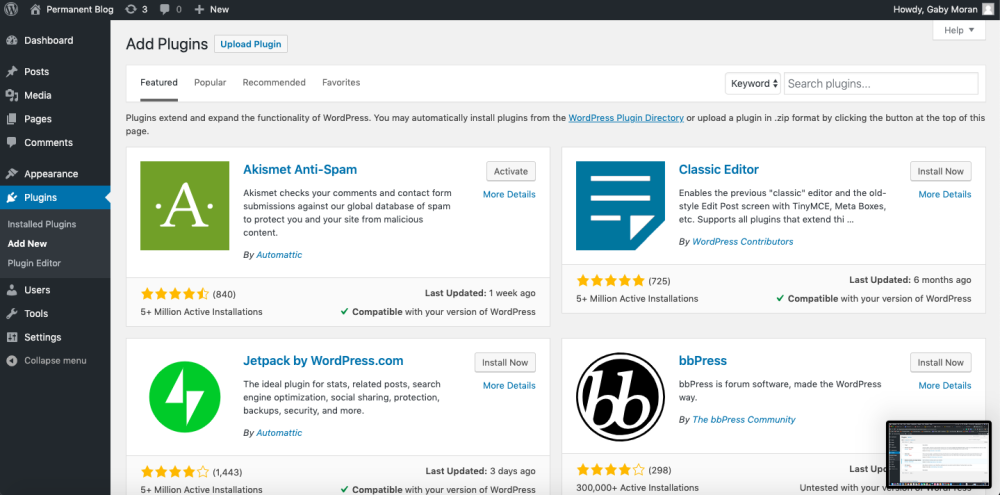
WordPress: execution speed, huge ecosystem (themes/blocks/plugins), SEO mastery, low entry cost. Excellent for content, corporate, landing pages, media.
► Best “governance & security”
Drupal: advanced roles/capabilities, native multilingual, complex relational content. Local governments, NGOs, large accounts, business portals.
► Best “open-source headless”
Strapi (Node, self-host/SaaS): flexible schemas, REST/GraphQL APIs, permissions. Modern front (Next/Nuxt/SvelteKit) and omnichannel.
► Best “headless SaaS enterprise”
Contentful / Sanity: real-time collaboration, powerful APIs, integrations marketplace, multi-space governance.
► Best “design-driven site-builder”
Webflow: precise visual design, integrated CMS, managed hosting. Ideal for premium marketing sites, startups, studios.
► Best “SaaS e-commerce”
Shopify: optimized catalog/checkout, apps, payment, omnichannel. D2C, DNVB, SMEs/ETIs.
► Best “open-source e-commerce”
PrestaShop (EU friendly) / Magento (Adobe Commerce): deep customization, multi-stores, B2B (Magento).
► Best “modern, simple blog”
Ghost: minimalist, fast, native newsletters, members/subscriptions.
► Pragmatic headless alternatives
Directus (data-first), Prismic (slices), Keystone (Node/GraphQL), DatoCMS, Storyblok (visual editor).
Quick sheets — strengths, limits, when to choose
WordPress Open-source Monolithic
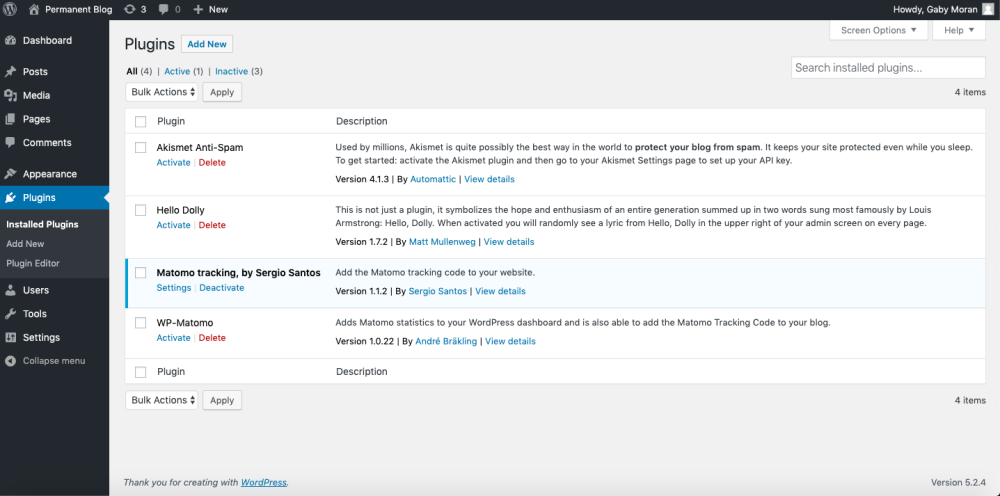
Strengths: excellent editor UX (block editor), themes/blocks for speed, thousands of plugins (SEO, performance, forms, e-commerce). Hostable anywhere, affordable costs.
Limits: requires technical hygiene (security, updates, plugin choices), some themes are “gas factory”. For omnichannel, consider a decoupled front.
Choose if you want to publish quickly, keep control over SEO, have a rich ecosystem and controlled costs.
Also see: Top lesser-known WordPress plugins • WordPress SEO Guide • WordPress Performance
Drupal Open-source Monolithic
Strengths: advanced content model (types, fields, views, taxonomies), granular roles/permissions, native multilingual, security and longevity. Perfect for portals, data-rich, strong governance.
Limits: learning curve, higher integration cost, less “plug-and-play”.
Choose if you have complex editorial workflows, strict access requirements, or a widely interfaced IS.
Strapi Open-source Headless
Strengths: simple content schema modeling, REST/GraphQL API, permissions, webhooks, plugins. Self-hosted (Node) or SaaS.
Limits: requires a front (Next/Nuxt), fine management of infra performance and security, higher dev cost than monolithic.
Choose if you target multi-platforms (web/app/IoT), a reusable design system and high-level front performance.
Contentful / Sanity SaaS Headless
Strengths: real-time collaboration, flexible models, composable environment, integrations (CDN, DAM, PIM), SLA, multi-space governance.
Limits: subscription cost, vendor dependency, need for front dev.
Choose if you seek a managed enterprise platform, with scale, security and multi-channel requirements.
Webflow SaaS Site-builder
Strengths: pixel-perfect control, integrated CMS (collections), global hosting, decent default performance, visual animations.
Limits: pagination/collection limits depending on plans, more closed integrations than headless, export not equivalent to SaaS.
Choose if you prioritize design/marketing, very fast time-to-market and light maintenance.
Shopify / PrestaShop / Magento (Adobe Commerce) E-commerce
Strengths: Shopify (SaaS, optimized checkout, apps, payments), PrestaShop (open-source, EU adaptation, modules), Magento (B2B, multi-stores, deep customization).
Limits: app costs (Shopify), hosting management needs (Magento), possible debt via third-party modules.
Choose if the store is the core of the project (catalog, promotion, logistics, omnichannel).
Ghost Open-source Blog / members
Strengths: minimalism, speed, integrated newsletter/members (monetization), clean SEO.
Limitations: not an “all-in-one,” more focused on content and publications.
Choose if you publish regularly, with a subscription/payment strategy.
Comparison table (quick view)
| Solution | Type | Ideal for | Strengths | Limitations | Budget (order of magnitude) |
|---|---|---|---|---|---|
| WordPress | Monolithic OSS | Content, corporate, blog, SMB | Ecosystem, SEO, rapid deployment | Technical discipline (security, plugin choices) | Low → Medium (hosting + integration) |
| Drupal | Monolithic OSS | Portals, public sectors, complex data | Governance, permissions, multilingual | Learning curve, integration cost | Medium → High |
| Strapi | Headless OSS | Omnichannel, modern front, apps | Flexible schemas, API, self-host/SaaS | Front to develop, infra to manage | Medium (dev) → High |
| Contentful / Sanity | Headless SaaS | Multi-country, multi-teams, composable | API, governance, SLA | Recurring cost, dependency | Medium → High (subscriptions) |
| Webflow | SaaS builder | Marketing sites, premium design | Visual designer, hosting, speed | Collection/advanced SEO limits | Low → Medium (subscriptions) |
| Shopify | SaaS e-commerce | D2C stores, DNVB, SMB/ETI | Checkout, apps, payments | App fees/commission, backend customization | Medium (subscriptions + apps) |
| PrestaShop | OSS e-commerce | EU stores, customization | Open-source, modules, flexibility | Variable module quality, maintenance | Medium (integration + hosting) |
| Magento (Adobe) | OSS/Enterprise e-commerce | ETI/Large brands, B2B | Multi-stores, B2B, scalability | High costs, rare skills | High |
| Ghost | OSS (blog/members) | Publications, paid newsletters | Speed, simplicity, monetization | Targeted functionality | Low → Medium |
Monolithic vs headless vs SaaS: advantages / disadvantages
Monolithic (WordPress, Drupal…)
+ Fast time-to-content, themes/blocks, plugins/modules, simple hosting. − Front tied to CMS (even if decoupling possible), potential debt if poor plugin choices.
Headless (Strapi, Contentful, Sanity…)
+ Front performance, omnichannel, composable architecture, integrations à la carte. − Need front dev team, higher implementation/ops costs.
SaaS / builders (Webflow, Squarespace, Wix…)
+ Express deployment, managed maintenance, good default performance level. − Lower portability, advanced limits (data model, technical SEO).
Classic risk: choosing a headless “because it’s trendy.” If you publish classic marketing pages, a well-tuned monolithic will be faster and less costly.
Trends & developments (2025 → 2026)
- Composable & MACH: Micro-services, API-first, Cloud-native, Headless — “decoupled” stacks are becoming standard in large organizations.
- Generative AI for content teams: editing assistants, variant generation, quality controls (tone, length, tags, accessibility), automatic internal linking — native or via plugins.
- Core Web Vitals & performance: LCP/INP at the heart of redesigns (AVIF/WebP images, preloading, SSR streaming, Edge-Side Rendering, CDN).
- Role of design systems: from CMS to Storybook and multi-platform block/slice libraries (web, app, in-store).
- Security & compliance: SSO, MFA/2FA, audit trails, role hardening, content governance (GDPR/DSA), sustainability (hosting, page weight).
- Composable e-commerce: headless + hosted checkout, promo rules, integrated PIM/DAM/CDP.
FAQ — The best CMS in 2025
Which CMS to choose for a showcase/editorial site with SEO stakes?
WordPress is the safe bet: ecosystem, HTML control, SEO tools, contained cost. For stricter governance requirements, look at Drupal.
When to switch to headless?
If you target multiple frontends (web/app/kiosk), a reusable design system, and very high performance, or if you need strong integration with IS/products. Otherwise, keep an optimized monolithic.
Is WordPress “secure”?
Yes, if hygiene is maintained: updates, reliable plugins, 2FA, WAF/CDN, backups, minimal rights. Like any CMS, risk comes from practices.
Shopify vs PrestaShop?
Shopify to go fast (SaaS, apps, payments), PrestaShop if you want open-source and strong customization on the EU side. Beyond a certain threshold, Magento (Adobe Commerce) takes over.
Can CMS and static generators be mixed?
Yes. Many use a headless CMS + Next/Nuxt/SvelteKit to generate (SSR/SSG/ISR) and push to CDN — excellent for performance & SEO.
How to avoid the “Rube Goldberg machine” effect?
Extension/module charter, environments (local/staging/prod), CI/CD, quarterly reviews, Core Web Vitals measurements and security audit. Fewer extensions but better chosen.
Is CMS migration costly?
It depends on volume, data models, SEO (redirects), media, translations, and integrations. Plan for audit + P.O.C. + migration plan (content, URL, SEO, media).
Sources & Resources (EEAT)
- WordPress — official site: wordpress.org
- Drupal — official site: drupal.org
- Strapi — official site: strapi.io
- Contentful — docs & product: contentful.com
- Sanity — official site: sanity.io
- Webflow — official site: webflow.com
- Shopify — developer docs: shopify.dev
- PrestaShop — official site: prestashop.com
- Adobe Commerce (Magento): business.adobe.com
- W3Techs — web technologies (overview): w3techs.com
- Prismic — official site: prismic.io
- Directus — official site: directus.io
- Ghost — official site: ghost.org
Conclusion
The “best CMS” in 2025 depends first and foremost on your goals. For fast publishing and good SEO: WordPress. For strong governance and complex content: Drupal. For omnichannel and front-end performance: Strapi/Contentful/Sanity. For e-commerce: Shopify/PrestaShop/Magento. For marketing design: Webflow. The key is to align usage, team, budget and trajectory (24–36 month roadmap), and to prototype a key page before committing.
{
“@context”: “https://schema.org”,
“@graph”: [
{
“@type”: “Article”,
“headline”: “Les meilleurs CMS en 2025 — comparatif complet, usages & tendances”,
“description”: “Quel CMS choisir en 2025 ? Comparatif WordPress, Drupal, Strapi, Contentful, Webflow, Shopify… avec critères, cas d’usage, tableau, FAQ et sources.”,
“inLanguage”: “fr-FR”,
“author”: { “@type”: “Person”, “name”: “Rédacteur SEO Articles” },
“publisher”: { “@type”: “Organization”, “name”: “VotreSite” },
“image”: [
“https://upload.wikimedia.org/wikipedia/commons/5/5c/WordPress_PluginsAvailable.png”,
“https://upload.wikimedia.org/wikipedia/commons/b/b4/WordPress_PluginsInstalled.png”,
“https://upload.wikimedia.org/wikipedia/commons/f/f5/Wordpress_5.7_Dashboard.png”,
“https://upload.wikimedia.org/wikipedia/commons/c/c9/WordPress_Dashboard.png”
],
“mainEntityOfPage”: “https://votresite.fr/meilleurs-cms-2025”,
“datePublished”: “2025-09-11”,
“dateModified”: “2025-09-11”
},
{
“@type”: “FAQPage”,
“mainEntity”: [
{
“@type”: “Question”,
“name”: “Quel CMS choisir pour un site vitrine/éditorial avec enjeu SEO ?”,
“acceptedAnswer”: {
“@type”: “Answer”,
“text”: “WordPress reste le plus polyvalent et rapide à déployer (thèmes/blocs/plugins) avec un contrôle SEO fin. Si la gouvernance et les workflows complexes priment, Drupal est une alternative robuste.”
}
},
{
“@type”: “Question”,
“name”: “Quand passer en headless ?”,
“acceptedAnswer”: {
“@type”: “Answer”,
“text”: “Lorsque vous ciblez plusieurs frontaux (web/app/kiosque), souhaitez un design system réutilisable et des performances front de très haut niveau, ou si vous devez intégrer largement votre SI.”
}
},
{
“@type”: “Question”,
“name”: “WordPress est-il sécurisé ?”,
“acceptedAnswer”: {
“@type”: “Answer”,
“text”: “Oui, si l’hygiène est tenue : mises à jour régulières, extensions fiables, 2FA, WAF/CDN, sauvegardes et droits minimaux. Comme tout CMS, la sécurité dépend surtout des pratiques.”
}
},
{
“@type”: “Question”,
“name”: “Shopify ou PrestaShop pour une boutique ?”,
“acceptedAnswer”: {
“@type”: “Answer”,
“text”: “Shopify si vous voulez aller vite et déléguer l’infrastructure ; PrestaShop si vous préférez l’open-source et une personnalisation forte côté EU. Pour B2B/multi-boutiques complexes, envisager Magento.”
}
},
{
“@type”: “Question”,
“name”: “Peut-on mixer CMS et générateurs statiques ?”,
“acceptedAnswer”: {
“@type”: “Answer”,
“text”: “Oui, beaucoup associent un CMS headless (Strapi/Contentful/Sanity) à un front Next/Nuxt/SvelteKit (SSR/SSG/ISR) pour combiner performance, SEO et flexibilité.”
}
},
{
“@type”: “Question”,
“name”: “Comment éviter une pile « usine à gaz » ?”,
“acceptedAnswer”: {
“@type”: “Answer”,
“text”: “Formalisez vos besoins, limitez le nombre d’outils, testez en staging, mettez en place CI/CD et revues techniques trimestrielles. Choisissez des extensions intégrées et maintenues.”
}
}
]
}
]
}









